**IMPORTANT**: The store currency must be set to **Argentine Pesos (ARS)** otherwise the payment method will not be available
#### Installation To install Go Cuotas in your store, follow these steps: 1\. Run the following command: **Magento >= 2.4.x** ``` composer require magerocket/module-gocuotas ```For Magento **2.3.3 / 2.3.6** install next packages
``` composer require magerocket/module-gocuotas-m23 composer require magerocket/module-core-m23 ``` 2\. Enable the module by running: ``` php bin/magento module:enable MageRocket_GoCuotas MageRocket_Core ``` 3\. Run setup upgrade: ``` bin/magento setup:upgrade ``` That's it! Now you're ready to proceed with the **Module Configuration**. # Configurations **1)** Position yourself over the **MageRocket** icon, click, and then click on Settings. 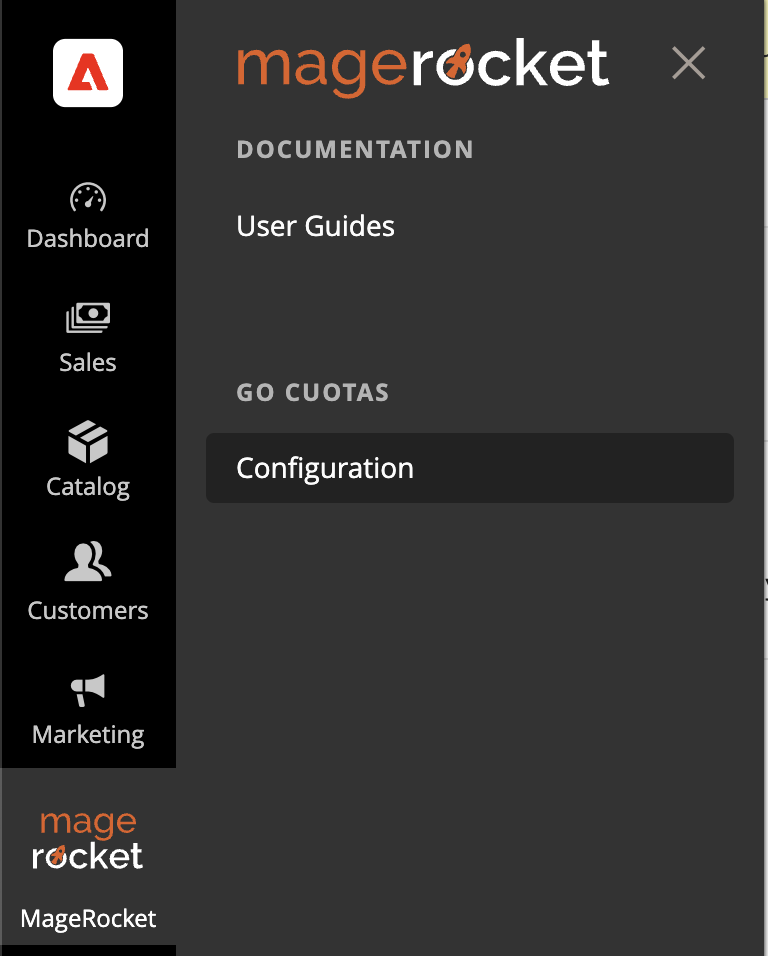In case the menu doesn't appear, you can access it from **Stores** > **Configuration** > **Sales** > **Payment Methods**.
**2)** Now we need to find the **Go Cuotas** payment method and click on **Configure**.  **3)** Once the button is clicked, all available configurations will be displayed. The first thing we need to do is configure the **Credentials**, **Payment Method** (Redirect or Modal) and **Environment** (Testing or Production). 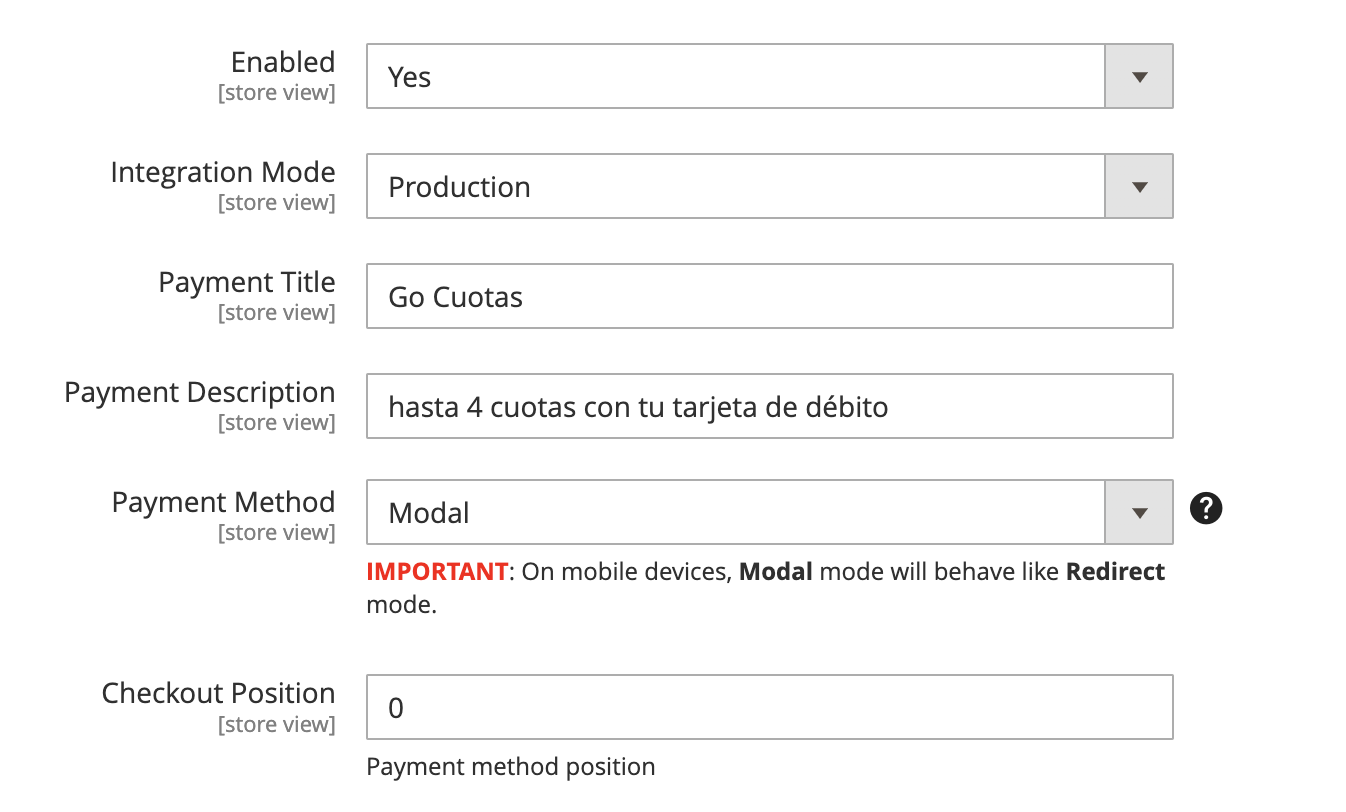 - **Enable**: Determines if the payment method is available. - **Integration Mode**: Determines if the module operates in Testing or Production mode. - **Payment Description**: Allows you to modify the description that the customer will see at checkout. - **Payment Method**: Modal or Redirection. Determines whether a modal will open to complete the payment or if the customer will be redirected to the Go Cuotas site to make the payment. - **Checkout Position**: Allows defining the position of the payment method in the checkout.**Remember** that each environment has its own credentials.
#### **Order Configuration** From here, you can configure the states for orders with **Approved Payment** and **Payments Rejected** or **Canceled by the User**. 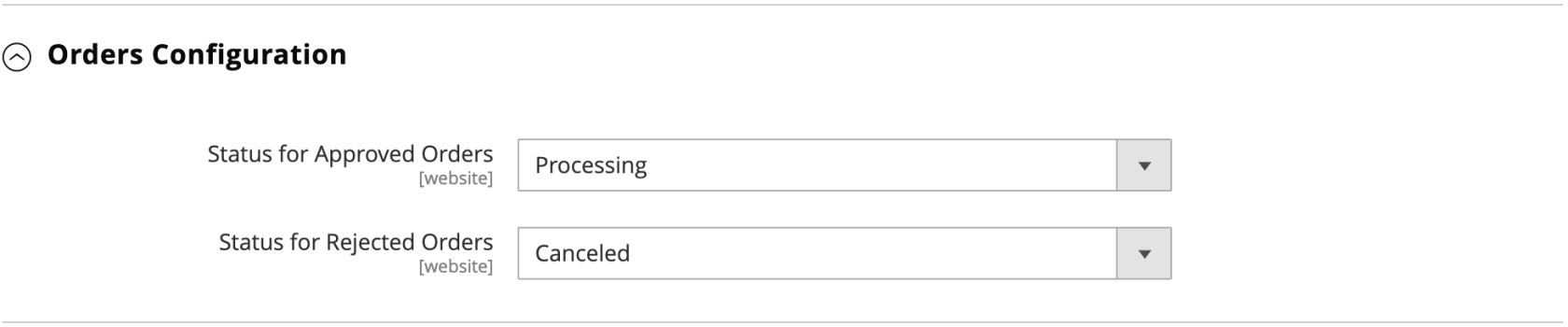 - **Status for Approved Orders:** It will display all states associated with the **Status Processing.** Default Value: **Processing**. - **Status for Rejeced Orders:** It will display all states associated with the **Status Canceled.** Default Value: **Canceled** #### **Cron Configuration (GoCuotas v1.0.4)** Starting from **version 1.0.4**, it is now possible to customize the waiting time before Magento automatically cancels an order due to non-payment. The waiting time can be configured **starting from a minimum of 30 minutes** (default value). If you decide to increase this time, it must always be expressed in minutes. [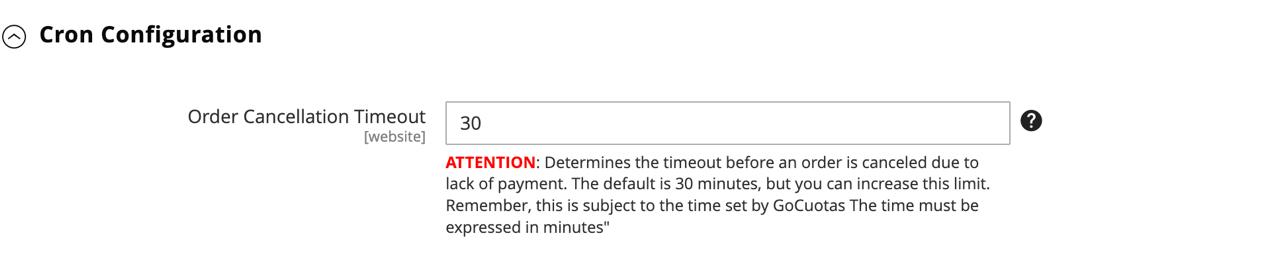](https://docs.magerocket.com/uploads/images/gallery/2024-11/7OiKeiiO14EhkN6h-cron-group.jpeg) #### **Refunds Configuration** This section allows you to enable **Refunds** and configure the maximum number of days within which a refund can be generated. 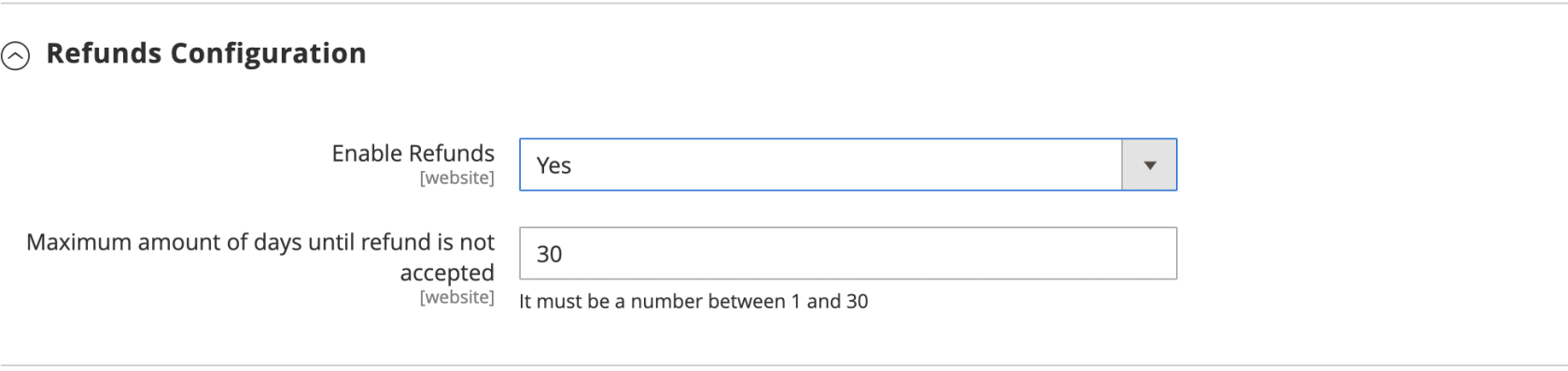 - **Enable Refunds:** Allows enabling/disabling Returns. - **Maximum amount of days until refund is not accepted:** After the configured number of days, it will not be possible to refund the payment.**IT IS POSSIBLE TO MAKE A SINGLE TOTAL OR PARTIAL REFUND.**
#### **Widgets Configuration** From here, you will be able to **enable**/**disable** and customize the **Widget** displayed on the **Product Page.** If you need to modify the text of the widget and maintain the installment number and amounts, you should use **%1** and **%2** respectively wherever you want to display them. 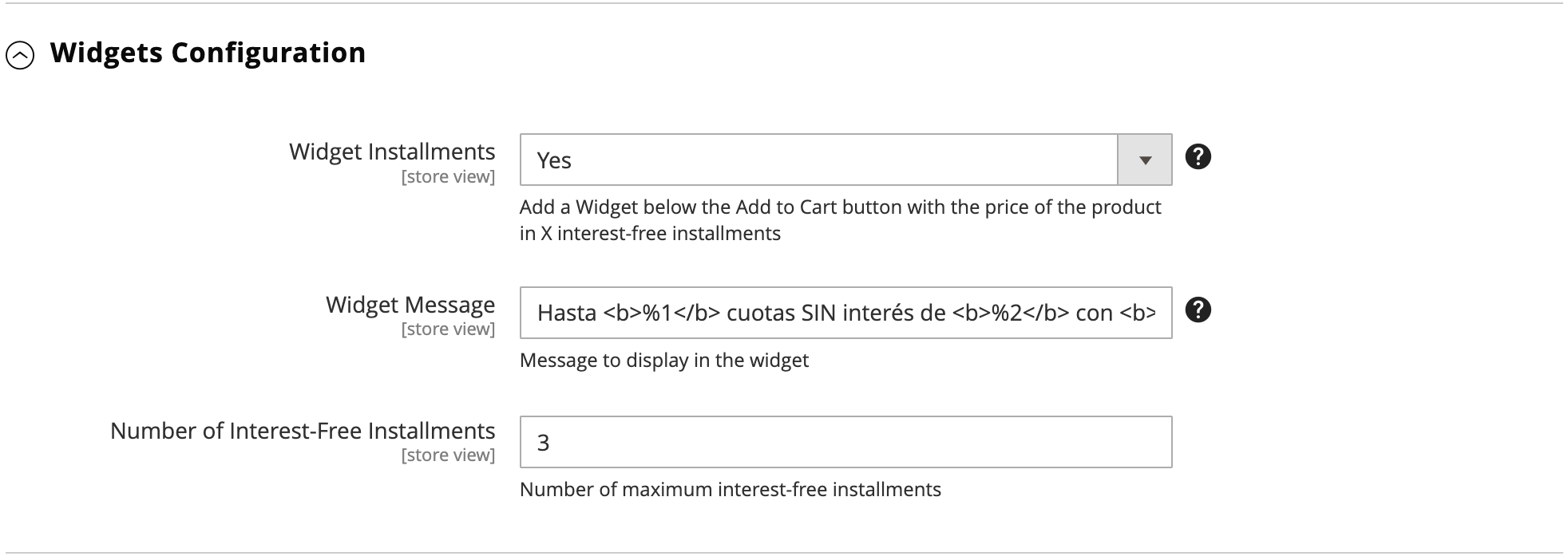 #### **Checkout Configuration** From here, you can modify options for the **Payment Method** at checkout. 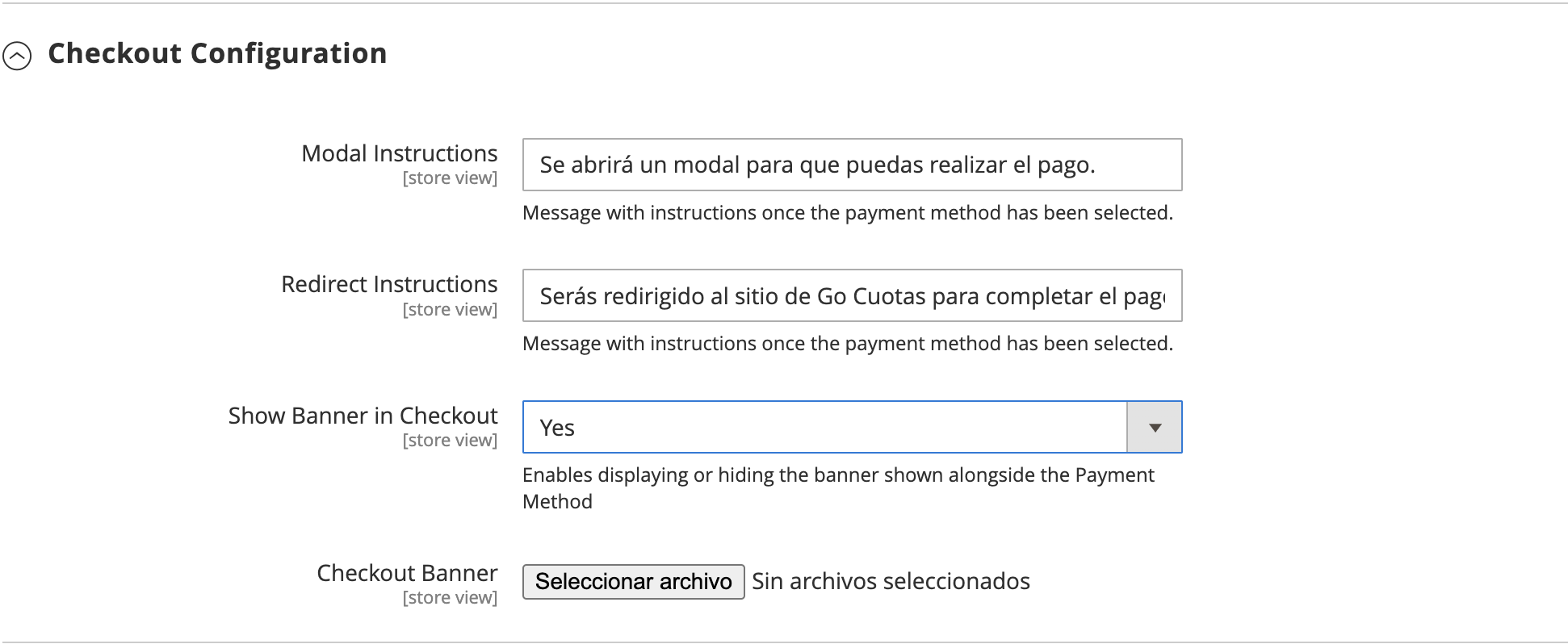 - **Show Banner in Checkout**: Show/Hide banner. - **Customize Banner**: Allows replacing the banner with a custom one. - **Modal Instructions**: Modify the message the customer sees when paying with the Modal method. - **Redirect Instructions**: Message the customer sees when paying with the Redirect method. #### **Others Configurations** Here you will find rare configurations 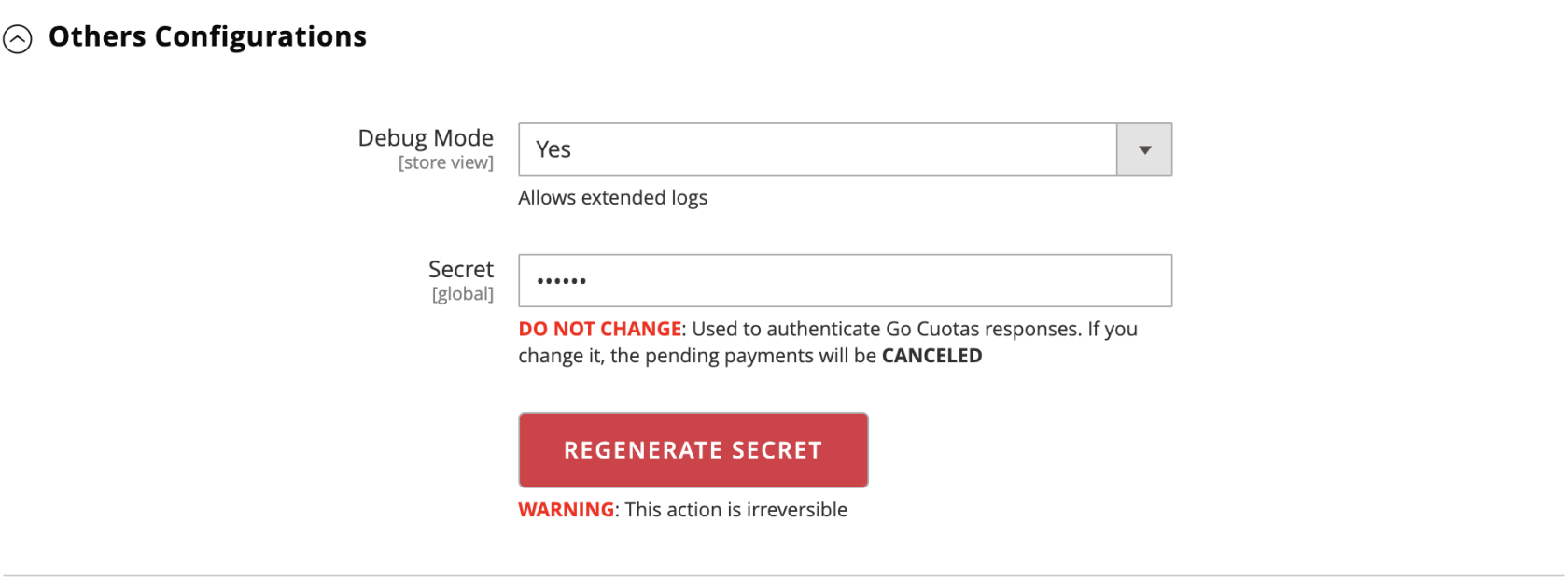 - **Debug Mode:** Allows you to activate/deactivate extended reports. - **Secret:** Unique signature to authenticate **Go Cuotas** notifications.**Under no circumstances should the Secret be modified. Doing so will result in the cancellation of pending orders.**
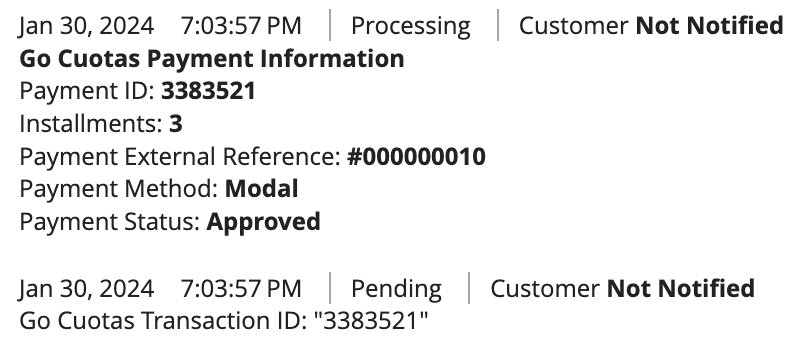
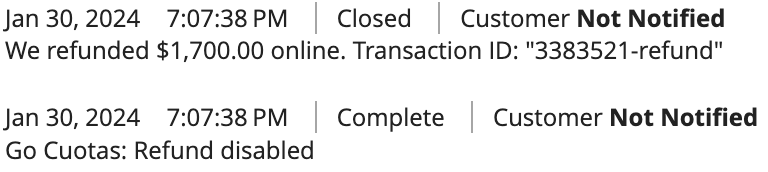
# Order Flow 1. You should go to **Sales** > **Orders**. Open an order paid with **Go Cuotas**. 2. Now, navigate to **Payment and Shipping Method**. 3. In the **Payment & Shipping Method** section, you will find quick information about payment (if approved) 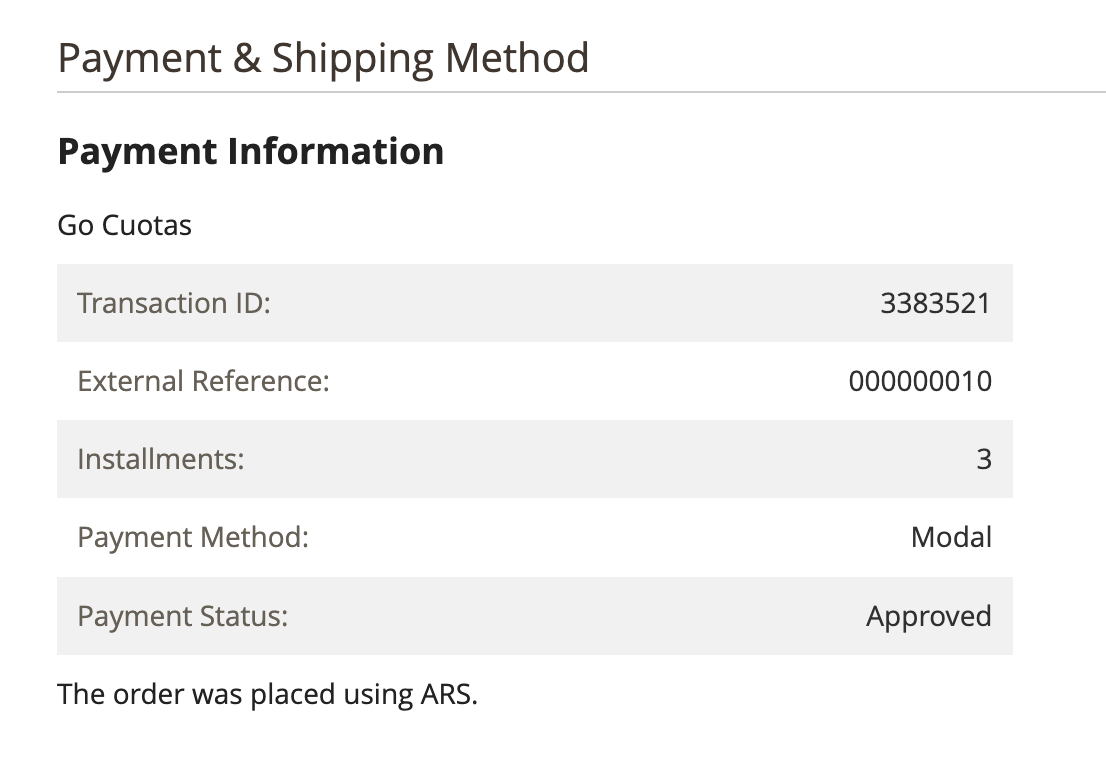 In case the order is NOT approved, you will find the reasons in the Order Notes, along with more details about the order. Payment **Approved**, **Rejected**, or **Refunded**.**CANCELED BY THE USER**
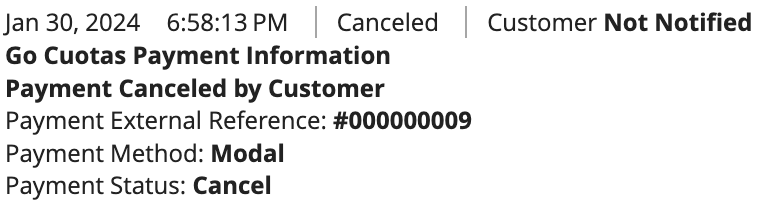**CANCELED DUE TO NON-PAYMENT**
**PAYMENT APPROVED**
**PAYMENT REFUND**
 # Frequently Asked Questions **Why doesn't Go Cuotas appear in the Payment Methods?** This may be because your store's currency is not configured in **Argentine Pesos**, or it could also be due to **Invalid Credentials.** **What do my customers need to pay with Go Cuotas?** Your customers will need an account with **Go Cuotas** and an associated **Debit Card.** **Why do I see canceled orders with the message 'Order canceled. Payment expiration time'?** This occurs when customers initiate a payment but never complete it. After 30 minutes, **Magento** / **Go Cuotas** processes the cancellation of orders. **Can I stop offering Go Cuotas as a payment method?** Certainly, if you wish to hide **Go Cuotas** from the payment methods, you just need to deactivate the method from **MageRocket** > **Go Cuotas** > **Configuration** > **Enable** = **No** or **Stores** > **Configuration** > **Sales** > **Payment Methods**. # Uninstall To completely uninstall the module, you must execute the following command: ```bash bin/magento module_uninstall MageRocket_GoCuotas ```**WARNING!** Deactivating the module will result in data loss. Take this action at your own risk.
The command will uninstall the module and its dependencies (MageRocket\_Core) if it is not being used by another module.