# Order Flow

1. You should go to **Sales** &gt; **Orders**. Open an order paid with **Go Cuotas**.
2. Now, navigate to **Payment and Shipping Method**.
3. In the **Payment &amp; Shipping Method** section, you will find quick information about payment (if approved)  
    ![image.png](https://docs.magerocket.com/uploads/images/gallery/2024-02/scaled-1680-/gw1H19A07ofn7cv4-image.png)  
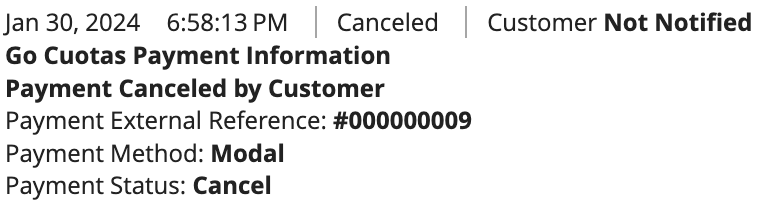
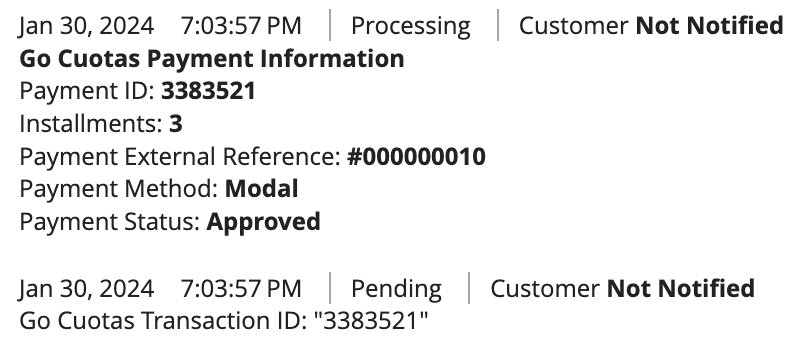
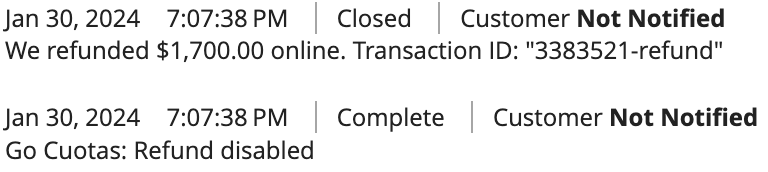
    In case the order is <span style="text-decoration: underline;">NOT</span> approved, you will find the reasons in the Order Notes, along with more details about the order. Payment **Approved**, **Rejected**, or **Refunded**.

<p class="callout danger">**CANCELED BY THE USER**</p>

![image.png](https://docs.magerocket.com/uploads/images/gallery/2024-02/scaled-1680-/nqALWvBEgm0B6X9x-image.png)

<p class="callout danger">**CANCELED DUE TO NON-PAYMENT**</p>

![image.png](https://docs.magerocket.com/uploads/images/gallery/2024-02/scaled-1680-/MY7XBXTI7R9DnC1J-image.png)

<p class="callout success">**PAYMENT APPROVED**</p>

![image.png](https://docs.magerocket.com/uploads/images/gallery/2024-02/scaled-1680-/PmflbJgQaARNOV3V-image.png)

<p class="callout success">**PAYMENT REFUND**</p>

![image.png](https://docs.magerocket.com/uploads/images/gallery/2024-02/scaled-1680-/qr874KhgLEOIpQ9p-image.png)