In case the menu doesn't appear, you can access it from **Stores** > **Configuration** > **Sales** > **Payment Methods**.
**2)** Now we need to find the **Go Cuotas** payment method and click on **Configure**.  **3)** Once the button is clicked, all available configurations will be displayed. The first thing we need to do is configure the **Credentials**, **Payment Method** (Redirect or Modal) and **Environment** (Testing or Production). 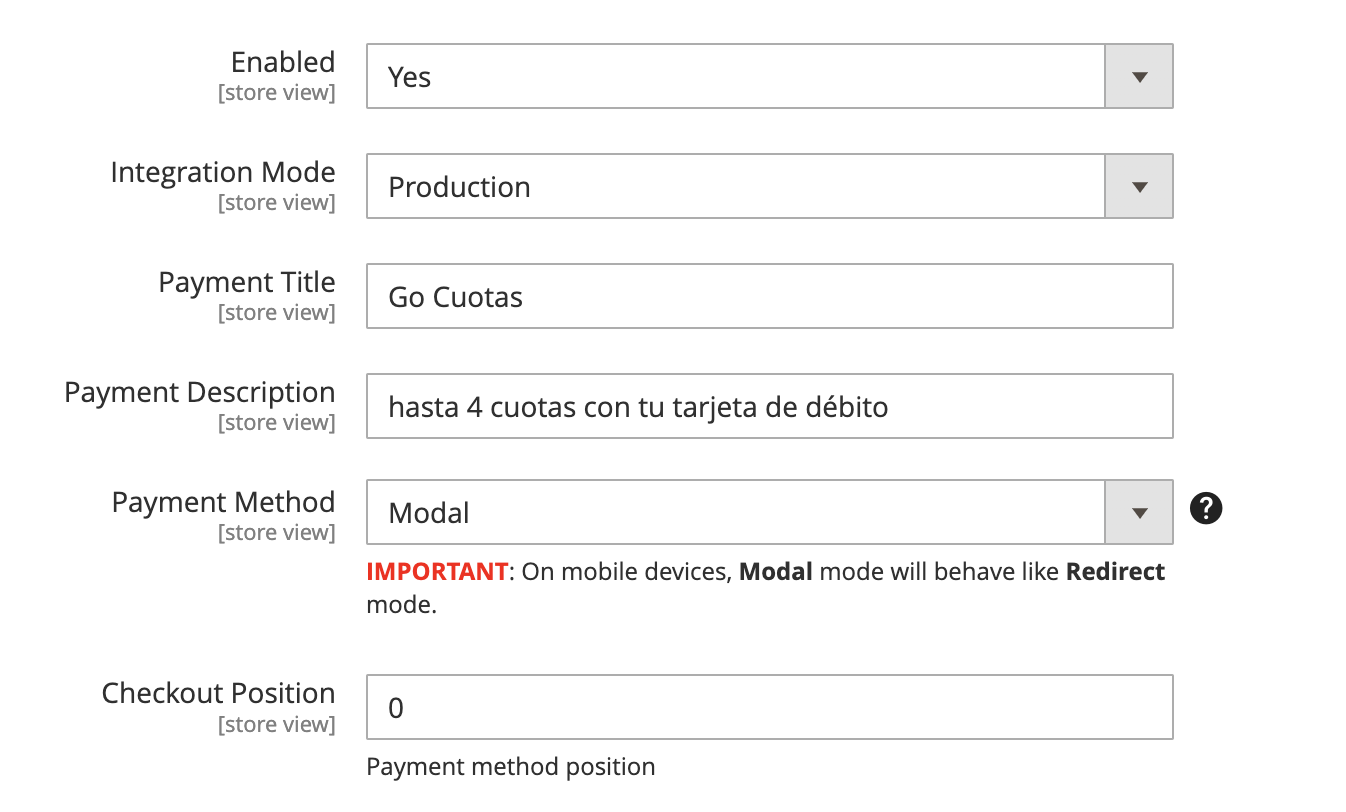 - **Enable**: Determines if the payment method is available. - **Integration Mode**: Determines if the module operates in Testing or Production mode. - **Payment Description**: Allows you to modify the description that the customer will see at checkout. - **Payment Method**: Modal or Redirection. Determines whether a modal will open to complete the payment or if the customer will be redirected to the Go Cuotas site to make the payment. - **Checkout Position**: Allows defining the position of the payment method in the checkout.**Remember** that each environment has its own credentials.
#### **Order Configuration** From here, you can configure the states for orders with **Approved Payment** and **Payments Rejected** or **Canceled by the User**. 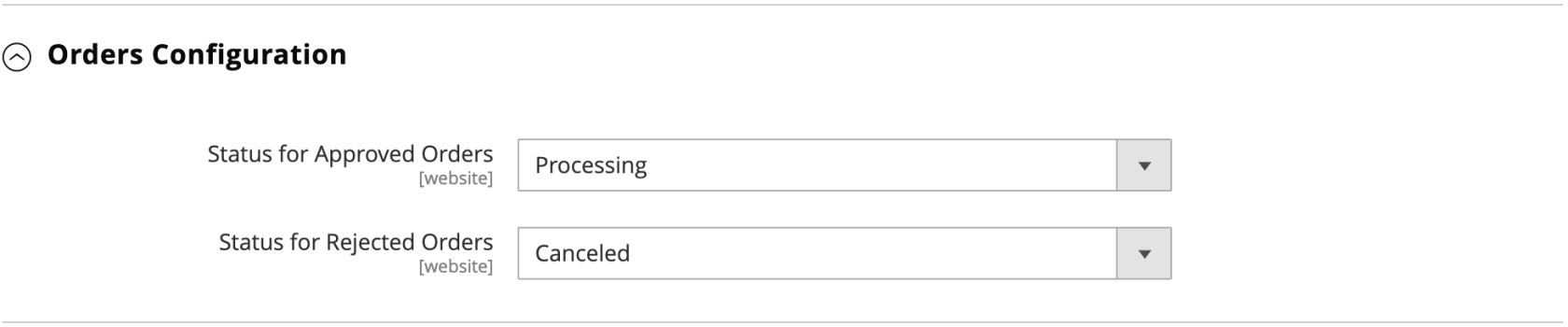 - **Status for Approved Orders:** It will display all states associated with the **Status Processing.** Default Value: **Processing**. - **Status for Rejeced Orders:** It will display all states associated with the **Status Canceled.** Default Value: **Canceled** #### **Cron Configuration (GoCuotas v1.0.4)** Starting from **version 1.0.4**, it is now possible to customize the waiting time before Magento automatically cancels an order due to non-payment. The waiting time can be configured **starting from a minimum of 30 minutes** (default value). If you decide to increase this time, it must always be expressed in minutes. [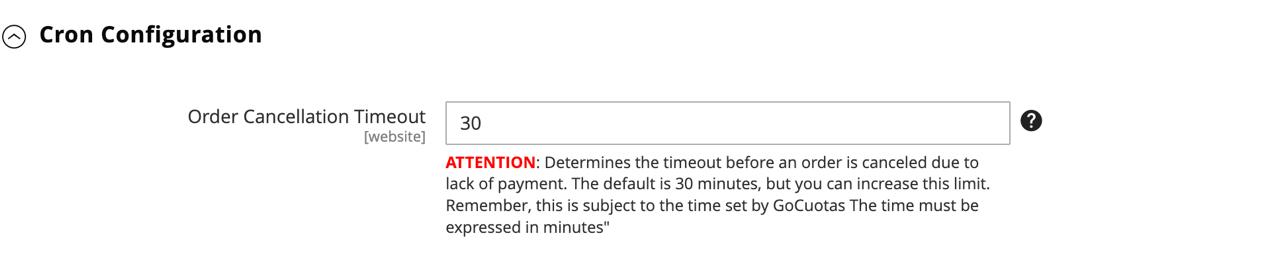](https://docs.magerocket.com/uploads/images/gallery/2024-11/7OiKeiiO14EhkN6h-cron-group.jpeg) #### **Refunds Configuration** This section allows you to enable **Refunds** and configure the maximum number of days within which a refund can be generated. 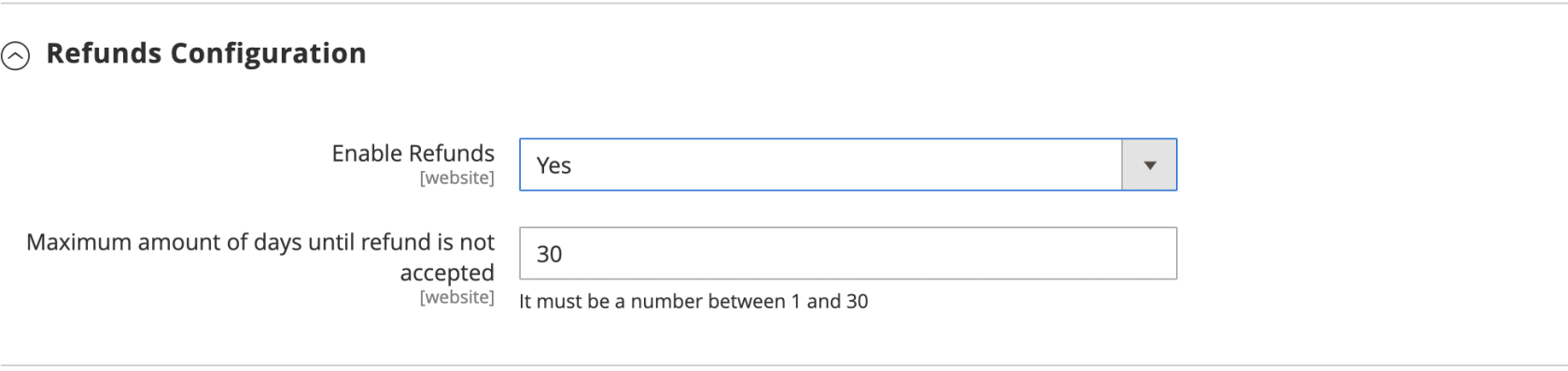 - **Enable Refunds:** Allows enabling/disabling Returns. - **Maximum amount of days until refund is not accepted:** After the configured number of days, it will not be possible to refund the payment.**IT IS POSSIBLE TO MAKE A SINGLE TOTAL OR PARTIAL REFUND.**
#### **Widgets Configuration** From here, you will be able to **enable**/**disable** and customize the **Widget** displayed on the **Product Page.** If you need to modify the text of the widget and maintain the installment number and amounts, you should use **%1** and **%2** respectively wherever you want to display them. 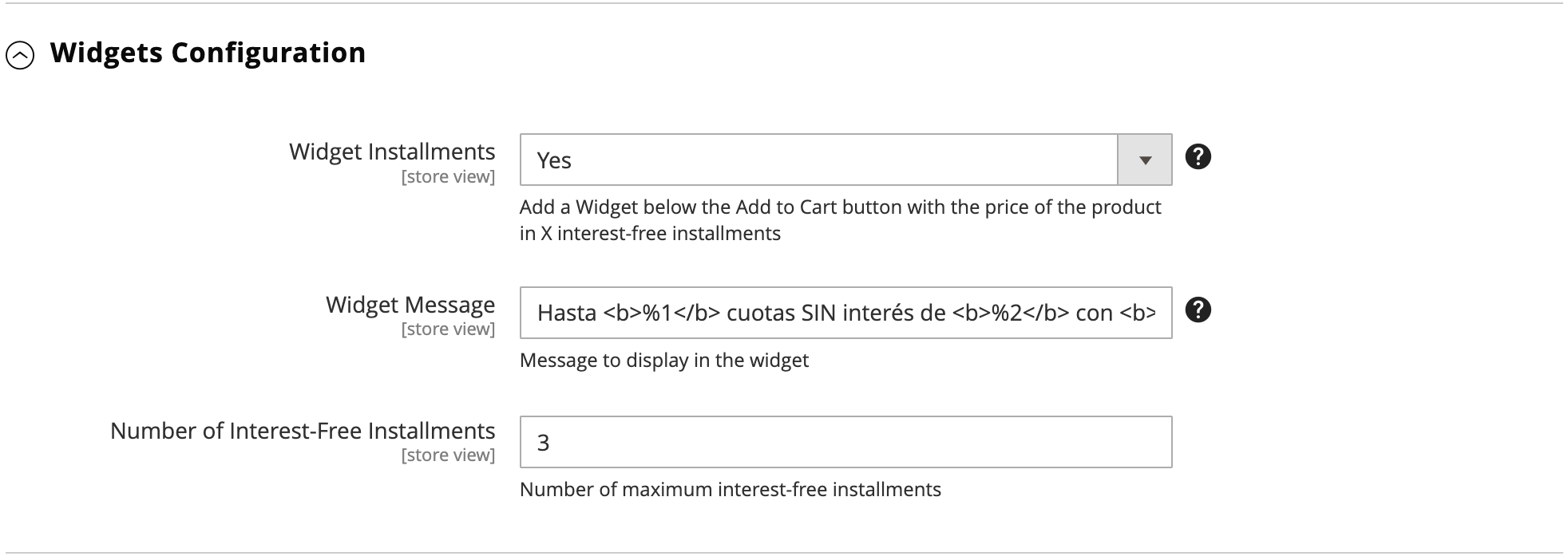 #### **Checkout Configuration** From here, you can modify options for the **Payment Method** at checkout. 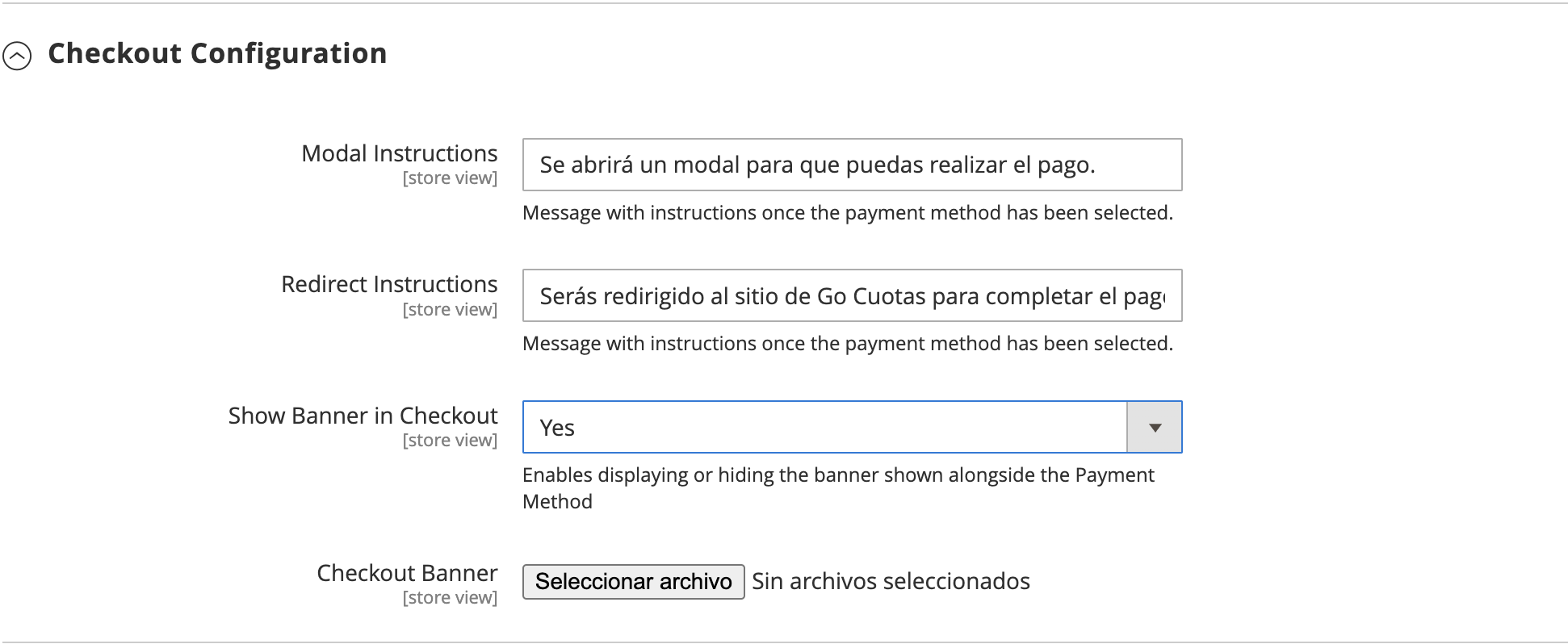 - **Show Banner in Checkout**: Show/Hide banner. - **Customize Banner**: Allows replacing the banner with a custom one. - **Modal Instructions**: Modify the message the customer sees when paying with the Modal method. - **Redirect Instructions**: Message the customer sees when paying with the Redirect method. #### **Others Configurations** Here you will find rare configurations 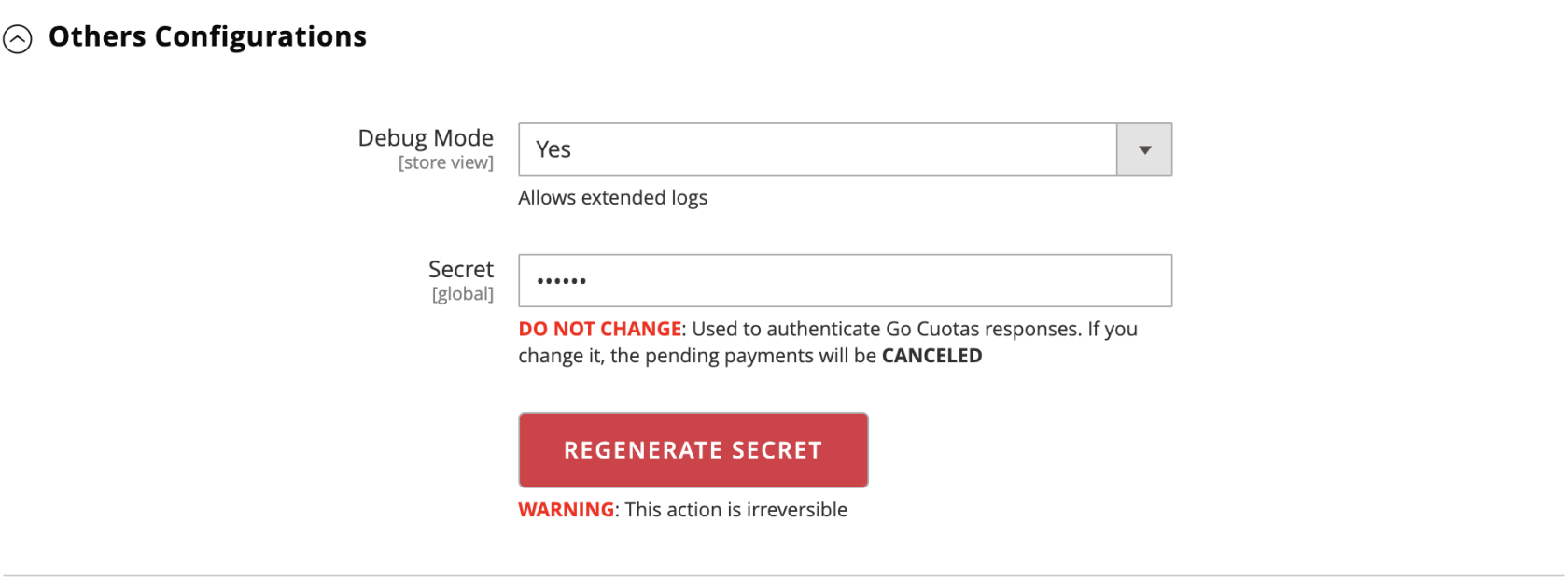 - **Debug Mode:** Allows you to activate/deactivate extended reports. - **Secret:** Unique signature to authenticate **Go Cuotas** notifications.**Under no circumstances should the Secret be modified. Doing so will result in the cancellation of pending orders.**